In today's digital world, customers expect businesses to offer convenient, fast, and accessible services. Whether they want to shop online, book an appointment, order food, manage their finances, or communicate with a service provider, smartphones have become an essential part of everyday life. This shift has made app development an important investment for businesses looking to improve customer experiences and build a stronger digital presence.
A well-designed mobile application does more than put your business on a smartphone screen. It creates a direct connection with customers, simplifies everyday tasks, supports business operations, and makes it easier for people to interact with your products or services.
However, building a successful app requires more than an attractive design. Businesses need to consider their audience, functionality, security, performance, scalability, and long-term maintenance before starting development.
In this guide, we will explore what app development means, the different types of mobile applications, their benefits for businesses, the development process, and how to choose the right app development partner.
What Is App Development?
App development is the process of planning, designing, building, testing, launching, and maintaining software applications for mobile devices or other digital platforms.
Depending on the business requirements, an application may be developed for Android, iOS, or both platforms. It can serve different purposes, such as selling products, managing bookings, processing payments, delivering educational content, or automating business activities.
For example, an e-commerce business may need an application with product listings, shopping carts, secure payment options, and order tracking. A healthcare provider might require appointment scheduling, patient communication, and reminders.
The right app depends on the problem a business wants to solve and the experience it wants to provide to its customers.
Why Is App Development Important for Businesses?
Customers increasingly value convenience and speed when interacting with brands. A mobile application can help businesses meet these expectations while creating new opportunities for growth.
1. Better Customer Engagement
A mobile application gives customers a convenient way to interact with your business. Features such as personalised recommendations, push notifications, loyalty programmes, and in-app support can encourage users to return.
When notifications are relevant and useful, they can also help businesses share updates about new products, special offers, appointments, and services.
2. Improved Customer Experience
A thoughtfully designed app makes common activities easier. Customers can access information, place orders, make bookings, and manage their accounts without repeatedly navigating a website or contacting customer support.
Simple navigation, fast loading times, and a consistent interface help create a smoother user experience.
3. Increased Sales Opportunities
For businesses that sell products or services, mobile applications can simplify the customer journey from discovery to purchase.
Features such as saved payment methods, wish lists, personalised offers, and order tracking can reduce friction during the buying process. Although an app cannot guarantee higher sales, a well-planned experience can make purchasing more convenient.
4. Stronger Brand Recognition
An app provides another digital touchpoint through which customers can recognise and interact with your brand.
A consistent visual identity, useful features, and dependable performance can help build familiarity and trust over time.
5. Greater Operational Efficiency
Mobile apps are not limited to customer-facing activities. Businesses can also use them to manage internal processes, track tasks, monitor inventory, coordinate employees, and access important information.
For example, a field service company might develop an app that allows its technicians to view assignments, update job status, and record customer feedback from one place.
6. Direct Customer Communication
Businesses can communicate important information through in-app messages, notifications, and support features.
This can be particularly useful for appointment reminders, delivery updates, account notifications, and service announcements. Communication preferences and privacy should always be respected.
Different Types of App Development
Choosing the right type of application is one of the first decisions in a development project. The best option depends on the target audience, budget, technical requirements, and long-term goals.
1. Android App Development
Android applications are designed for devices running the Android operating system. They can help businesses reach customers using smartphones and tablets across a wide range of device manufacturers and price categories.
Android apps can be developed using technologies such as Kotlin and Java, depending on the project's needs.
They are suitable for businesses that want to offer mobile shopping, booking, communication, entertainment, or business management features to Android users.
2. iOS App Development
iOS app development focuses on applications designed for Apple's mobile devices, including the iPhone.
These applications can be built using technologies such as Swift. Developers need to consider Apple's design conventions, platform capabilities, security requirements, and App Store review guidelines.
An iOS application can be a suitable choice for businesses whose target audience primarily uses Apple devices or whose product requires specific iOS functionality.
3. Cross-Platform App Development
Cross-platform development allows developers to build applications for multiple operating systems using a shared codebase.
Technologies such as Flutter and React Native can help businesses create applications for Android and iOS while reducing duplicated development work.
This approach may be useful for startups and growing businesses that want to launch on multiple platforms efficiently. However, the right approach depends on performance requirements, integrations, and the need for platform-specific functionality.
4. E-Commerce App Development
E-commerce applications help businesses sell products and manage customer orders through mobile devices.
Common features include:
Product categories and search filters
Product images and detailed descriptions
Shopping carts and wish lists
Secure payment gateway integration
Order tracking and notifications
Customer accounts and order history
Reviews, ratings, and customer support
A successful e-commerce app should make product discovery and checkout straightforward while protecting customer information.
5. Custom Business App Development
Custom applications are designed around specific business requirements rather than relying entirely on generic software.
For example, a hotel may require a booking and room management application, while an educational institution may need student records, attendance tracking, and learning resources.
Custom app development can help businesses streamline workflows, connect existing systems, and create features that match their operational needs.
Essential Features of a Successful Mobile Application
Not every application needs dozens of features. In many cases, a focused app that performs its main purpose well is more valuable than one overloaded with unnecessary functionality.
The following features are worth considering during planning.
User-Friendly Interface
The interface should make it easy for users to understand where to go and what to do next. Clear menus, readable text, accessible controls, and logical navigation can make the application easier to use.
Secure Login and Authentication
Applications that manage personal accounts should use appropriate authentication methods. Depending on the use case, these may include secure passwords, one-time passwords, or biometric authentication supported by the device.
Payment Gateway Integration
Businesses that accept digital payments may need a reliable payment gateway. Payment processing should follow relevant security requirements and provide clear confirmation of successful or unsuccessful transactions.
Push Notifications
Notifications can keep users informed about relevant events, including delivery progress, appointment reminders, and important account updates.
They should be timely, useful, and easy to manage so that customers do not feel overwhelmed by unnecessary messages.
Search and Filtering
Search functionality helps users find products, services, or information quickly. Filters can further improve navigation when an application contains a large amount of content.
Analytics and Reporting
App analytics help businesses understand how people use their applications. Metrics such as active users, feature engagement, conversion rates, and retention can reveal where improvements may be needed.
Analytics should be implemented with appropriate privacy safeguards and user consent where required.
Regular Updates and Maintenance
Operating systems change, security risks evolve, and customer expectations develop over time. Regular maintenance helps address bugs, improve compatibility, and keep the application dependable.
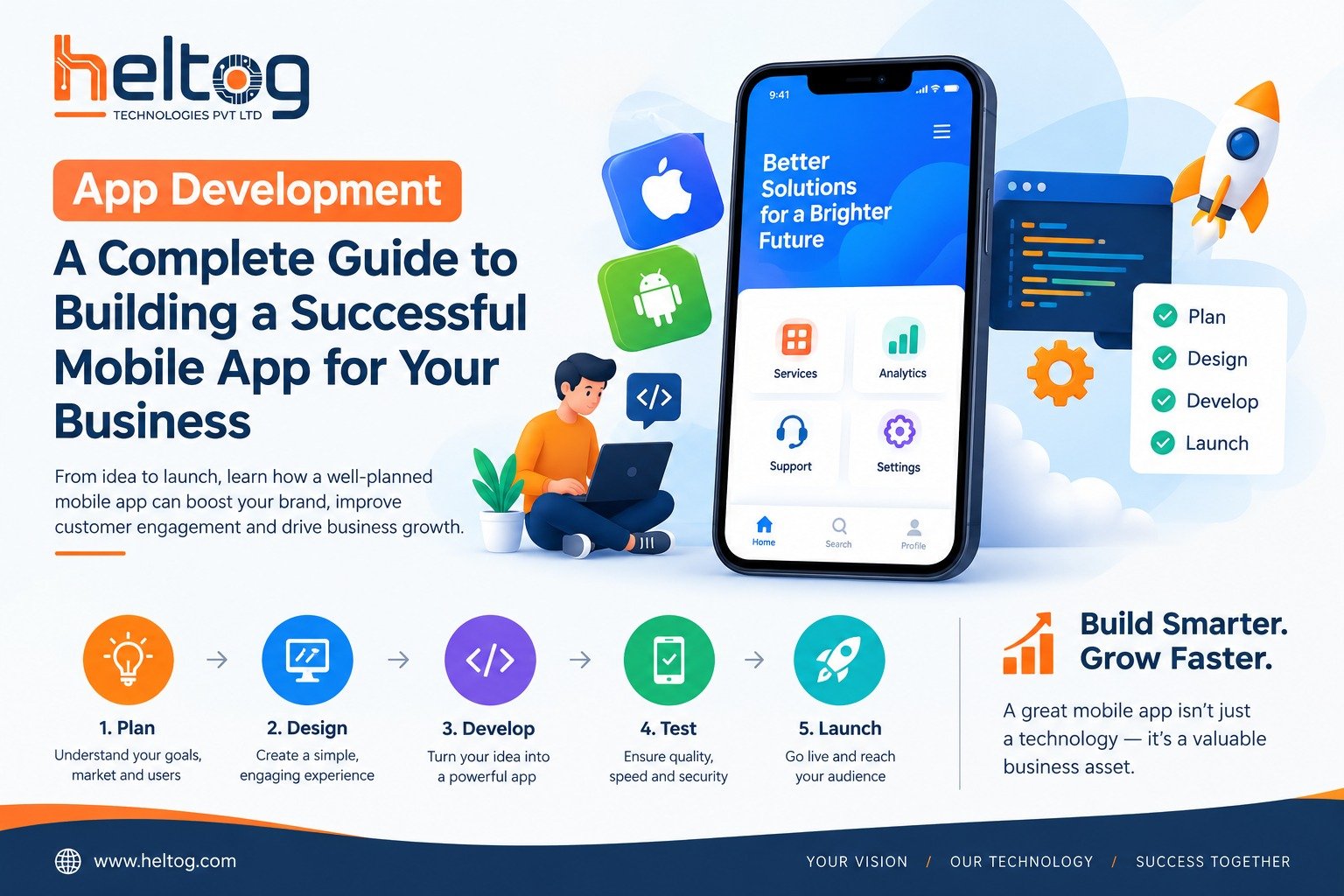
The App Development Process: Step by Step
A structured development process helps businesses turn an idea into a practical digital product.
Step 1: Understand Business Goals
The first step is to identify the purpose of the application.
Ask yourself:
What problem will the app solve?
Who will use it?
What should users be able to accomplish?
How will the app support business objectives?
What would make customers choose it over alternatives?
Clear answers help establish the project's direction and prevent unnecessary features from increasing complexity.
Step 2: Conduct Research and Plan Features
Research your target audience, competitors, and existing solutions. Identify the features users genuinely need and distinguish them from features that can be introduced later.
At this stage, define the project's scope, technical requirements, budget expectations, and estimated timeline.
For a new business, launching a minimum viable product (MVP) can be a practical approach. An MVP focuses on essential functionality so the business can gather real user feedback before investing in a larger product.
Step 3: Design the User Interface and Experience
UI refers to the visual elements of an application, while UX focuses on how users experience and navigate it.
Designers typically create wireframes, user flows, and interactive prototypes before development begins. These help identify confusing screens and improve the overall experience early in the process.
The goal is not simply to make the app attractive. It should also be intuitive, accessible, and easy to use.
Step 4: Choose the Right Technology
The technology stack influences the application's performance, maintainability, integrations, and future development.
Depending on the requirements, a development team may recommend native technologies, a cross-platform framework, a backend service, a database, and third-party APIs.
The decision should be based on the product's needs rather than selecting a technology simply because it is popular.
Step 5: Develop the Application
During development, the approved designs are converted into working features. This stage may involve building the mobile interface, backend systems, databases, APIs, user authentication, payment integrations, and administrative dashboards.
Regular reviews and progress updates help ensure the application remains aligned with the original requirements.
Step 6: Test the App Thoroughly
Testing is essential before an application reaches users.
Quality assurance may include:
Functional testing to verify features work correctly
Performance testing to identify slowdowns
Security testing to identify vulnerabilities
Compatibility testing across relevant devices
Usability testing to assess navigation and clarity
Integration testing to check connected systems
Testing should also cover common error scenarios, such as failed payments, lost internet connections, and incorrect login attempts.
Step 7: Launch the Application
Once testing is complete, the application can be prepared for release on the relevant app stores.
Publishing involves preparing store listings, screenshots, descriptions, privacy information, and other required materials. Both Google Play and Apple's App Store have their own review and publishing requirements.
A launch plan should also include customer communication, support arrangements, and a process for monitoring early feedback.
Step 8: Monitor, Maintain, and Improve
Launching the app is not the end of the development process.
Businesses should monitor performance, review user feedback, address bugs, apply security updates, and introduce improvements based on actual usage.
Continuous improvement helps keep the application relevant as customer expectations and business needs change.
How Much Does App Development Cost in India?
The cost of app development in India varies considerably depending on the application's complexity, features, design requirements, technology, and integrations.
A simple application with a limited number of screens will generally require less development effort than a complex platform involving multiple user roles, real-time tracking, payment processing, or extensive backend functionality.
The following factors influence the overall budget:
Application complexity: More features and workflows usually require additional development and testing.
Platform selection: Building separate native applications for Android and iOS may involve more work than using a suitable cross-platform approach.
UI/UX design: Custom interfaces, advanced animations, and specialised user experiences can increase design and implementation effort.
Backend and integrations: Databases, APIs, payment gateways, third-party services, and admin panels contribute to the overall scope.
Security and compliance: Applications handling sensitive information or regulated activities may require additional safeguards and specialised reviews.
Maintenance: Hosting, monitoring, bug fixes, operating system updates, and future enhancements should be considered part of the long-term investment.
The most reliable way to estimate the cost is to define the requirements and obtain a detailed proposal from an experienced development team. Businesses should compare deliverables, timelines, ownership terms, testing, and support rather than choosing a provider on price alone.
How Long Does It Take to Develop a Mobile App?
The timeline depends on the number of features, design complexity, integrations, and availability of project requirements.
A basic application may take a few weeks, while a more complex product can take several months or longer. These are general expectations rather than fixed deadlines.
The timeline usually includes planning, design, development, testing, launch preparation, and deployment.
Clear communication, timely feedback, and well-defined requirements can help reduce delays. Choosing an achievable first release can also make it easier to launch sooner and improve the app through subsequent updates.
Common App Development Mistakes to Avoid
Even a promising app idea can struggle if important planning and development decisions are overlooked.
Building Too Many Features at Once
Adding every possible feature to the first version can increase costs and delay the launch. Start with the core user needs and expand the application based on feedback and evidence.
Ignoring User Experience
A visually impressive app may still disappoint users if navigation is confusing or essential actions take too many steps. Usability should be considered throughout design and testing.
Overlooking Security
Weak authentication, insecure data storage, and poorly protected APIs can expose users and businesses to unnecessary risks. Security needs to be part of the development process from the beginning.
Neglecting Performance
Slow loading, frequent crashes, and unreliable features can reduce user trust. Performance should be tested under realistic conditions before launch and monitored afterwards.
Failing to Plan for Maintenance
Applications need updates as devices, operating systems, third-party services, and business requirements change. A maintenance plan helps protect the initial investment.
Choosing a Developer Without Clear Evaluation
Businesses should assess a development partner's technical capabilities, communication, portfolio relevance, project management, and post-launch support. A clear agreement should define scope, milestones, deliverables, and ownership.
How to Choose the Right App Development Company
Selecting the right development partner can significantly influence the quality and long-term success of your application.
Consider the following points before making a decision.
Review relevant experience: Look for experience with projects similar to your requirements, including the necessary platforms and integrations.
Evaluate the development approach: A reliable team should explain how it will understand your requirements, plan the architecture, design the interface, test functionality, and manage deployment.
Ask about security: Discuss authentication, data protection, secure coding practices, backups, and any industry-specific requirements.
Understand communication and timelines: Establish how progress will be reported, how changes will be handled, and who will approve deliverables.
Clarify ownership: Confirm who owns the source code, designs, developer accounts, and related project assets.
Discuss ongoing support: Understand what is included after launch, how bugs will be handled, and what future maintenance may cost.
The right partner should understand both your technical needs and the business outcome you want to achieve.
The Future of App Development
App development continues to evolve as businesses explore new ways to improve customer experiences and automate processes.
Several trends are influencing how modern applications are designed and built.
Artificial Intelligence Integration
AI-powered features can support recommendations, conversational assistance, content organisation, and workflow automation. Their value depends on the quality of the data, the use case, and the reliability of the implementation.
Cloud-Based Applications
Cloud infrastructure can help applications manage changing workloads, support remote access, and integrate with business systems. Appropriate configuration and monitoring remain essential for security and performance.
Personalised User Experiences
Applications can use relevant preferences and permitted usage data to make content, recommendations, and services more useful to individual users.
Personalisation should remain transparent and respect privacy choices.
Cross-Platform Development
Frameworks such as Flutter and React Native continue to offer options for building applications across multiple operating systems. They can be especially useful when businesses want to maintain a consistent experience without developing every feature separately for each platform.
Stronger Focus on Privacy and Security
Users expect their information to be handled responsibly. Secure development, transparent privacy practices, data minimisation, and regular updates will remain important for maintaining trust.
Businesses that evaluate these trends according to their actual needs can make more informed decisions about future investments.
Frequently Asked Questions About App Development
1. What is the difference between app development and web development?
App development typically involves creating software for mobile devices or other platforms. Web development focuses on websites and web applications accessed through browsers. Depending on the business requirements, a company may benefit from one or both.
2. Should I develop an Android app or an iOS app first?
The decision should depend on your target audience, market research, budget, and product requirements. If most potential users are concentrated on one platform, launching there first may be practical. A cross-platform approach may be appropriate when both audiences matter from the beginning.
3. Is cross-platform app development a good choice?
Cross-platform development can reduce duplicated work and simplify maintenance for many business applications. However, applications that require extensive platform-specific features or specialised performance may benefit from native development. The decision should be made after evaluating the technical requirements.
4. Can a small business afford custom app development?
Yes, depending on the scope and available budget. A small business can begin with an MVP that includes essential features and expand it as demand grows. A clearly defined scope helps manage costs and priorities.
5. Does an app need regular maintenance?
Yes. Maintenance helps address bugs, security issues, operating system changes, compatibility problems, and evolving business requirements. The level of support needed depends on the application's complexity and usage.
6. How can I measure whether my app is successful?
Useful metrics may include active users, retention, completed purchases, bookings, task completion rates, customer satisfaction, and conversion rates. The right metrics depend on the application's primary purpose and should be defined before launch.
Conclusion
Successful app development begins with a clear understanding of your customers, your business objectives, and the problem your application needs to solve. From choosing the right technology to designing a user-friendly interface, testing security, and planning ongoing maintenance, every stage contributes to the final result.
A well-planned mobile application can help businesses improve customer engagement, simplify operations, create convenient digital experiences, and establish a stronger connection with their audiences. The key is to focus on practical features, dependable performance, and continuous improvement rather than adding complexity without a clear purpose.
Build Your Business App with Heltog Technologies
If you are planning to turn your business idea into a functional mobile application, Heltog Technologies can help you explore the right development approach for your requirements. Heltog offers Android and iOS app development, cross-platform solutions using Flutter and React Native, e-commerce applications, and customised mobile app solutions designed around business needs.
From initial planning and UI/UX design to development, testing, deployment, and ongoing support, the focus is on creating secure, scalable, and user-friendly digital solutions.
Whether you are a startup planning your first app or an established business looking to strengthen your digital services, the right development strategy can help you move forward with confidence.
Explore Heltog's App Development Services: https://heltog.com/app-development
Get in touch with Heltog Technologies to discuss your requirements and take the next step towards building a mobile application that supports your business goals.
Found this article helpful? Share it!
H
Written by
Heltog Team
Digital marketing and technology expert at Heltog Technologies. Helping businesses grow with smart digital solutions.



Leave a Comment
Your email address will not be published. Required fields are marked *